To make a product video from a photo, upload your existing product shot to Seedance 2.0 on Prospolabs, run it in image-to-video mode with a short motion prompt, and the model animates that single still into a slow rotating, lifestyle-lit hero clip — no studio, no turntable, no videographer. Here is what comes out of one still and how to build it yourself.
Why a product video beats a flat photo on the listing
A static photo asks a shopper to imagine the object in their hands. A short video does that work for them: it shows scale, finish, how light catches an edge, the way a texture reads up close. That is exactly the moment where a hesitant browser becomes an add-to-cart. Most stores skip product video anyway, because the old path meant booking a studio, renting a turntable, and waiting on an editor. Image-to-video removes every one of those steps. You start from the asset you already have — the same hero shot already sitting on your listing — and end with motion.
How Seedance 2.0 image-to-video works
Seedance 2.0 takes your product still as a start frame and generates motion forward from it. You describe the camera move and the lighting behaviour in plain language — a slow 180-degree turntable rotation, a key light gliding across the surface, a soft rim highlight — and the model keeps the product itself locked while it animates the scene around it. You can optionally supply an end frame to control where the clip lands, which is useful when you want the rotation to finish facing the buyer head-on.
Seedance also runs a reference-to-video mode that accepts up to nine images, three videos and three audio clips, cited inline as @Image1, @Video1 and @Audio1. For most product work the single start frame is all you need, but reference mode is how you hold one product consistent across a whole set of clips. Clips run 4 to 15 seconds, up to 1080p, with native audio baked in — so a gentle ambient room tone or the soft clink of a mug on a table comes out of the same generation rather than a separate audio pass.
Step by step on Prospolabs
- Open Seedance 2.0 image-to-video and upload your product photo as the start frame.
- Write a short motion prompt: the camera move (slow turntable rotation, gentle push-in), the lighting (key light gliding across the surface), and any atmosphere (soft steam, subtle bokeh).
- Pick a duration (5 seconds is plenty for a listing hero) and a resolution — 720p for the product grid, 1080p for the main hero slot.
- Optionally add an end frame so the clip finishes on the angle you want shoppers to see.
- Generate. The job runs async; your output_url is valid for seven days, so download and host the MP4 on your store.
- Drafting a lot of angles? Run them on Seedance 2.0 Fast first, then re-render the winner at full quality.
If you prefer to script it, the API is the same surface as the UI: POST to /v1/generate with model id "seedance-2" (or "seedance-2-fast"), your image, and the prompt. Same model, same prices, whether you click or call.
Beyond rotation: relight and restage
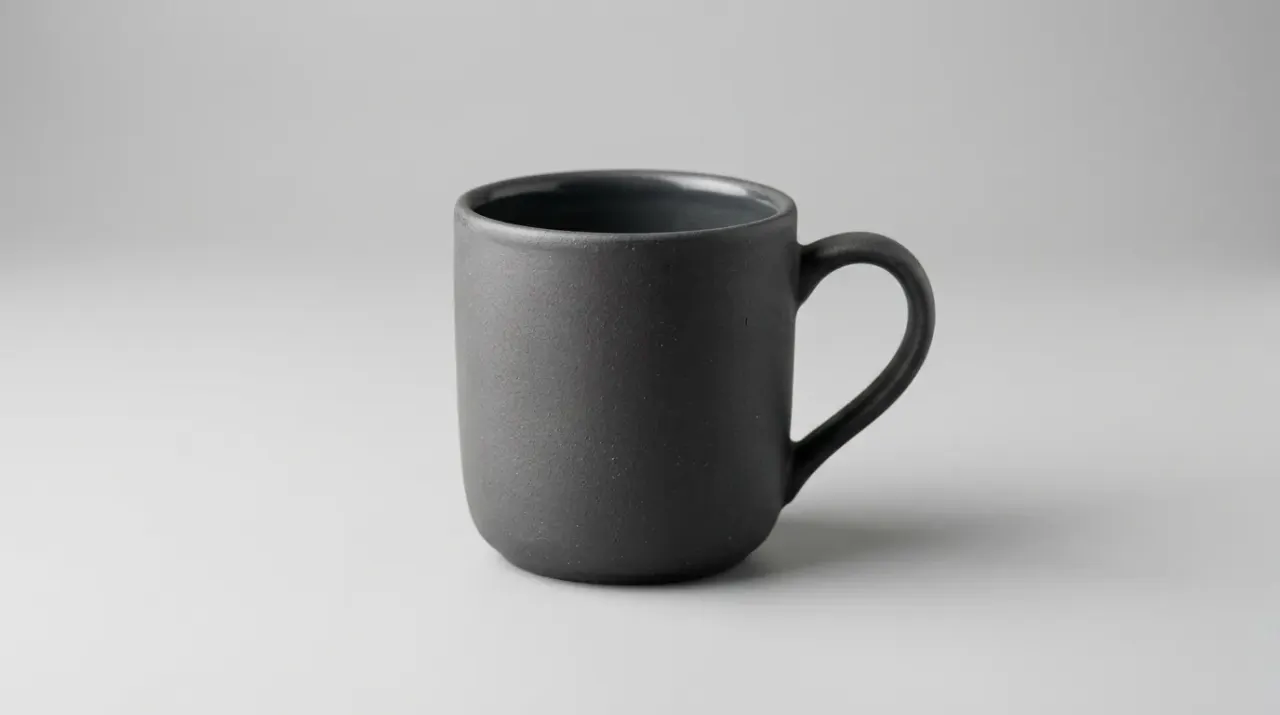
A turntable spin is the workhorse, but the same single photo can be restaged into a lifestyle scene that sells the feeling rather than just the object. The mug on a seamless grey backdrop becomes the mug steaming on a sunlit cafe table. That lifestyle framing is what carries social ads and above-the-fold listing slots, and you get it from the exact same source image.

What it actually costs
Prospolabs charges per generation in plain USD — no tokens, no seats, no subscription. You top up from as little as $5 and draw down per second of finished video, with native audio included in the rate. Failed runs are auto-refunded, so a botched generation never costs you.
- Seedance 2.0 — 480p $0.09/sec (retail $0.15), 720p $0.18/sec (retail $0.30), 1080p $0.41/sec (retail $0.683).
- Seedance 2.0 Fast — 480p $0.07/sec (retail $0.117), 720p $0.15/sec (retail $0.25).
- A 5-second 1080p hero clip on Seedance 2.0: about $2.05.
- A 5-second 720p product-grid clip: about $0.90.
- A 5-second 720p draft on Seedance 2.0 Fast: about $0.75.
Put that next to a studio day rate and the math is no longer a debate. A full product catalog of 50 hero clips at 1080p lands near a hundred dollars in compute — once, with no rebooking. See the per-generation pricing in full, or see how prices compare against other model providers.
The conversion angle: motion on the listing
The reason to do this is add-to-cart. A looping hero clip in the first listing slot answers the questions a static photo leaves open — finish, scale, how it moves — at exactly the point a shopper decides. On Shopify and most storefronts, the first media slot accepts video, so the rotating clip plays where the hero photo used to sit. Keep it short, keep it looping cleanly, and lead with the angle that shows the product's best feature.
Tips for clips that sell
- Keep camera moves slow and short — a clean 5-second loop reads as premium; fast spins read as gimmicky.
- Use the end frame to land the rotation facing the buyer, so the loop resets on the product's strongest angle.
- Match the lighting prompt to your brand: soft warm key for lifestyle goods, crisp studio rim for tech and hardware.
- Draft on Seedance 2.0 Fast at 480p to lock the motion, then re-render the keeper at 1080p.
- Render at 720p for product-grid thumbnails and reserve 1080p for the main hero slot to keep spend lean.
- Let the native audio do quiet work — ambient room tone sells presence; skip loud music on a product loop.
When you have your product clips dialed in, the same workflow extends straight into making UGC ads next. Or browse the image and video models to see what else fits your catalog.
Frequently asked questions
Yes. Seedance 2.0 image-to-video on Prospolabs uses your single product still as the start frame and generates motion forward from it — a rotation, a push-in, a light glide — keeping the product itself locked while it animates the scene. No second photo or 3D model is required, though you can add an optional end frame to control where the clip lands.
You pay per second in USD with native audio included. On Seedance 2.0, a 5-second clip is about $0.90 at 720p ($0.18/sec) or about $2.05 at 1080p ($0.41/sec). Seedance 2.0 Fast is cheaper for drafts at $0.07/sec (480p) and $0.15/sec (720p). You top up from $5 and failed runs are auto-refunded.
Image-to-video animates the photo you give it, so your real product stays on screen rather than being reinvented. That is what makes it safe to publish on a live listing. The prompt controls camera motion and lighting around the product, not the product's identity.
A 5-second loop at 1080p works well for the main hero slot, and 720p is plenty for product-grid thumbnails. Seedance 2.0 supports 4 to 15 seconds up to 1080p, but short and clean converts better than long for a product loop.
Use Seedance 2.0 reference mode, which accepts up to nine images, three videos and three audio clips cited inline as @Image1, @Video1 and @Audio1. Citing the same product reference across generations holds its look steady from clip to clip.
Yes. POST to /v1/generate with model id "seedance-2" or "seedance-2-fast", your image, and a prompt. Generation is async and the output_url stays valid for seven days. The API and the Prospolabs UI run the same model at the same price.
related on Prospolabs